1
Download and install VPNUK
Open the Amazon Appstore on your Vega OS Fire TV Stick, search for VPNUK and select Install. Once installed, open the app.

Install the official VPNUK app on your Vega OS Fire TV Stick and connect securely using WireGuard. Follow this simple guide to get started in minutes.
VPNUK for Vega OS is a dedicated, API-driven VPN app with WireGuard connectivity, built for simple navigation using your Fire TV remote.
Download VPNUK from Amazon AppstoreOpen the Amazon Appstore on your Vega OS Fire TV Stick, search for VPNUK and select Install. Once installed, open the app.
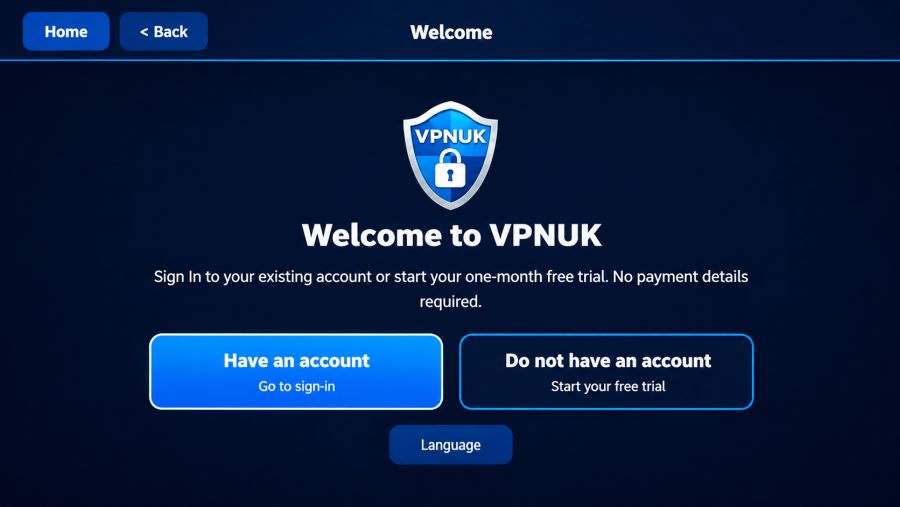
On first launch, select Have an Account if you are an existing customer, or Do Not Have an Account to register directly in the app and receive a one-month, no-obligation free trial. This guide continues from the connection screen.
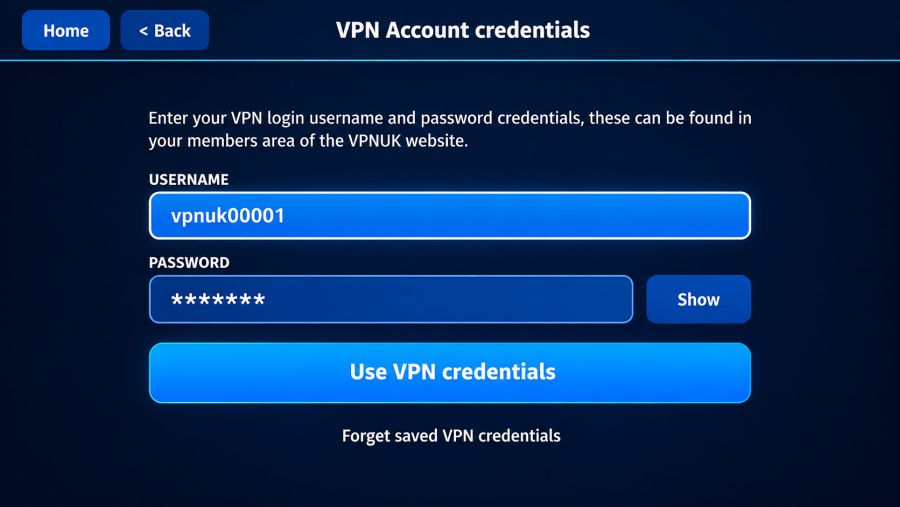
You will automatically be guided to the VPN Account Login. Enter your VPN username and password. These are included in your welcome email and are also available in the Members Area → VPN Account Details. Then click the Use VPN Credentials button.
Choose a server from the server list. Shared IP customers can select any available Shared IP server. Dedicated IP customers must select the server assigned to their unique IP address, as shown in their welcome email or Members Area.
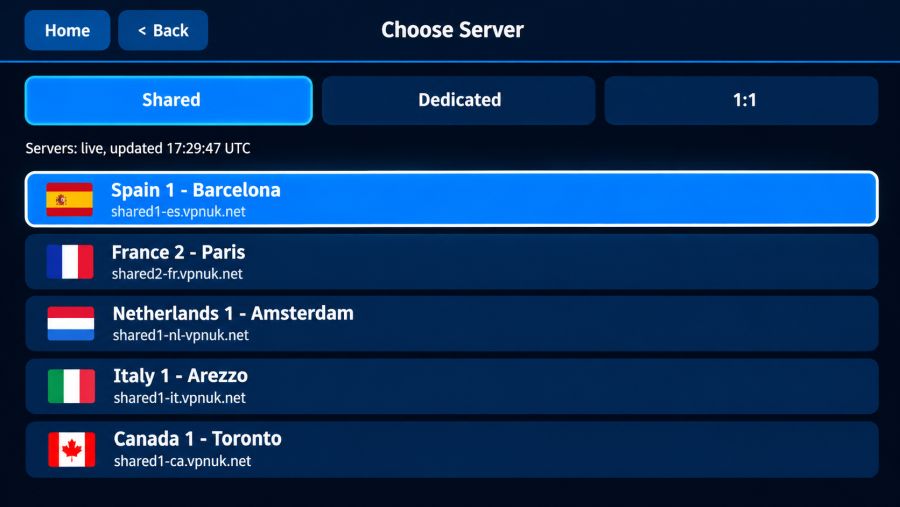
Select Connect to establish your secure WireGuard VPN connection. To change servers later, disconnect first, choose another server and reconnect.
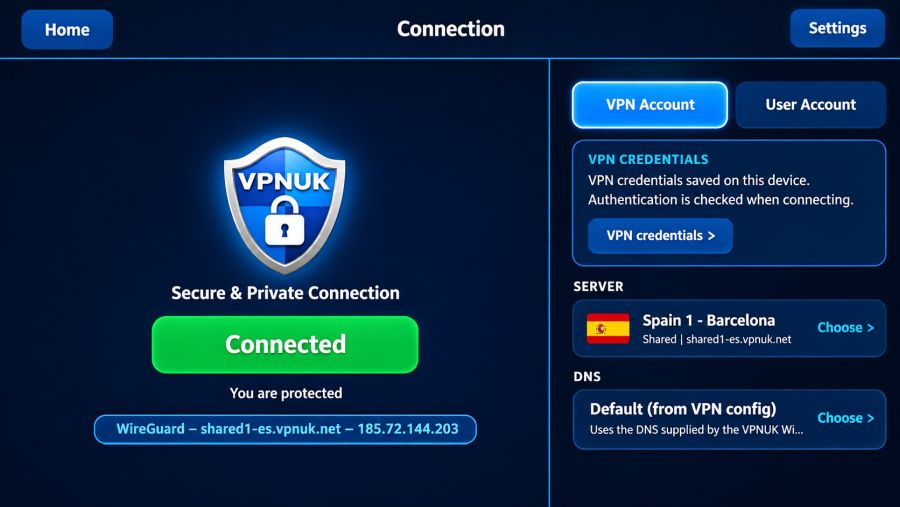
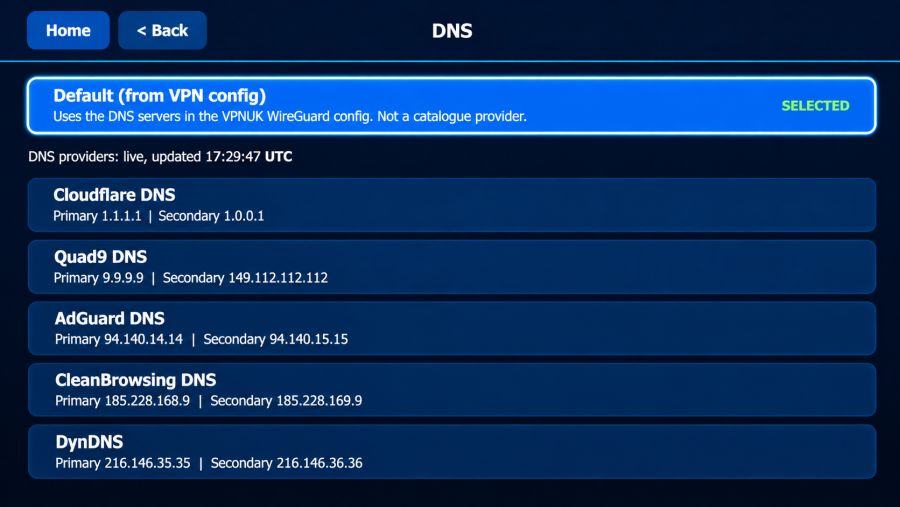
VPNUK manages your DNS automatically by default, so no changes are needed. If you prefer a third-party DNS provider, select Custom DNS on the connection screen and choose your preferred option. This changes the DNS service used by your VPN connection.
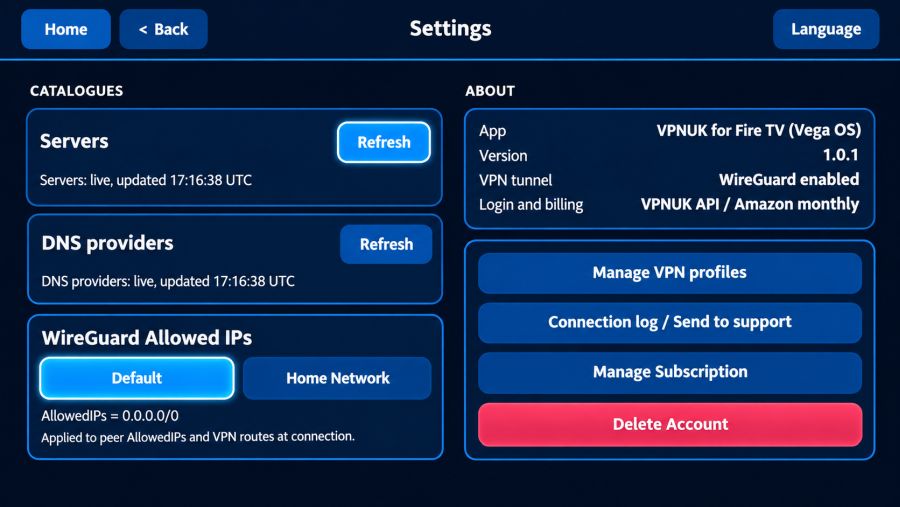
The Settings screen includes optional controls for network routing, VPN profiles, account management and troubleshooting. Most customers can leave the default settings unchanged.
Manually refresh the available VPN servers and Custom DNS options to retrieve the latest information.
By default, all traffic is routed through the VPN. Select the Home Network option if you need local network traffic to bypass the VPN so you can access devices on your home network.
View and manage the WireGuard VPN profiles stored by the app.
Review connection information when troubleshooting. Contact VPNUK through Live Help before sending a log so our support team can guide you through the next steps.
Open the Amazon in-app purchase (IAP) options to manage your subscription.
Use this option to delete your account data. Only select it if you intend to remove your account information.
If your VPN does not connect, first check that your VPN username, password and selected server are correct. Dedicated IP customers must use their assigned server. You can also refresh the server list from Settings and try connecting again.